> ## Documentation Index
> Fetch the complete documentation index at: https://docs.softisp.ug/llms.txt
> Use this file to discover all available pages before exploring further.
# Access Control
> Manage MAC address-based network access
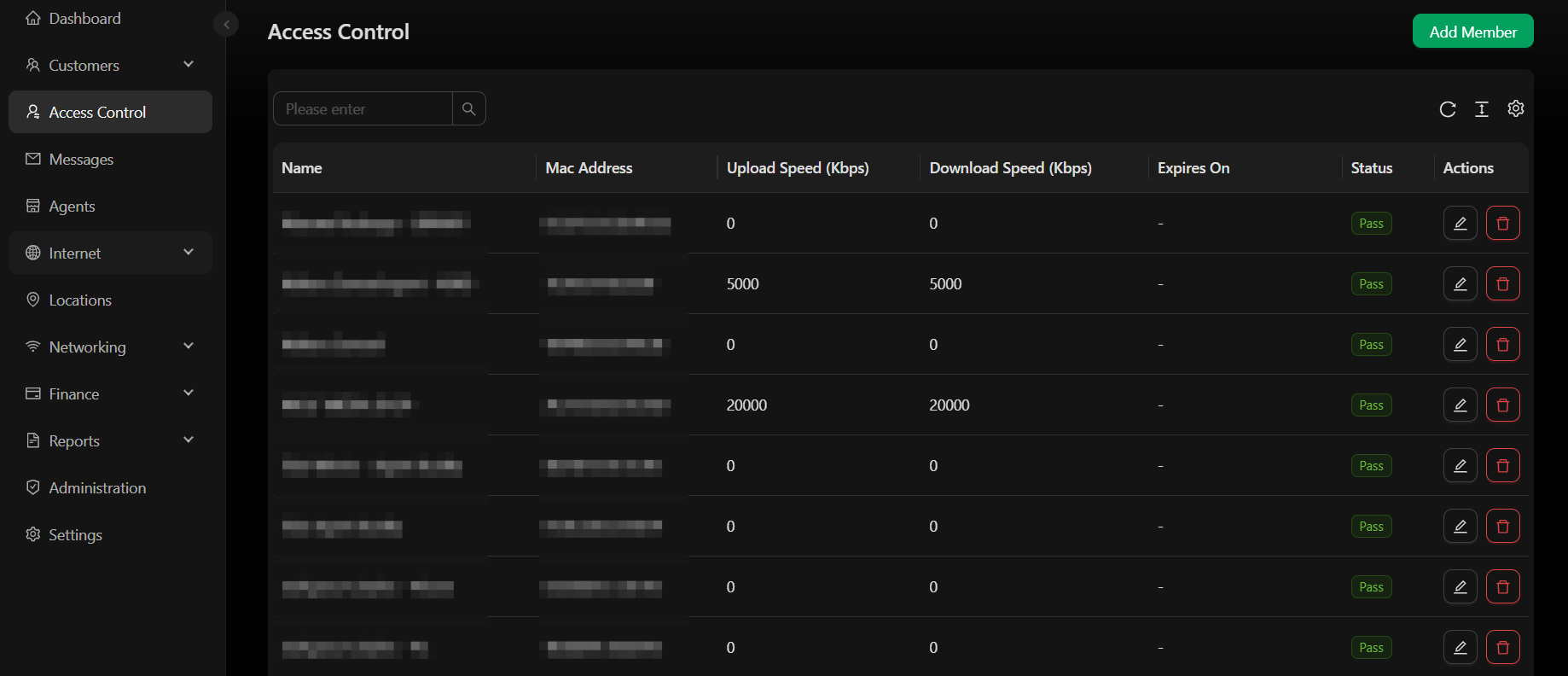 Access Control lets you manage MAC address-based access control lists (ACLs), controlling which devices are allowed or denied access on your network.
## Giving a customer free access
Sometimes you need to give one specific customer's device free access without a voucher and without a package purchase at all:
* **Compensating a customer** — instead of issuing another voucher (which may count as a sale), simply connect them to cover the lost time
* **Giving free access to staff or anyone else**
This is different from a [free package](#creating-a-free-package) above — a free package is available to any customer at the splash page, while this grants access to one specific device only. To use this method, the person must already have an account on the WiFi hotspot, created automatically the first time they connect to the network.
Log in to SoftISP, go to **Customers** → **List**, and search by the customer's registered phone number or account ID. Click their phone number or name (shown in blue) to open the account.
In the customer's account, go to the **Devices** tab — you'll see a list of their mobile devices (smartphones or laptops). See [Customer Detail](/customers/customerdetails) for the rest of that page.
Find the device you want to give free access to, scroll to the far right, and click the person-shield icon. Fill out the form that appears:
Access Control lets you manage MAC address-based access control lists (ACLs), controlling which devices are allowed or denied access on your network.
## Giving a customer free access
Sometimes you need to give one specific customer's device free access without a voucher and without a package purchase at all:
* **Compensating a customer** — instead of issuing another voucher (which may count as a sale), simply connect them to cover the lost time
* **Giving free access to staff or anyone else**
This is different from a [free package](#creating-a-free-package) above — a free package is available to any customer at the splash page, while this grants access to one specific device only. To use this method, the person must already have an account on the WiFi hotspot, created automatically the first time they connect to the network.
Log in to SoftISP, go to **Customers** → **List**, and search by the customer's registered phone number or account ID. Click their phone number or name (shown in blue) to open the account.
In the customer's account, go to the **Devices** tab — you'll see a list of their mobile devices (smartphones or laptops). See [Customer Detail](/customers/customerdetails) for the rest of that page.
Find the device you want to give free access to, scroll to the far right, and click the person-shield icon. Fill out the form that appears:
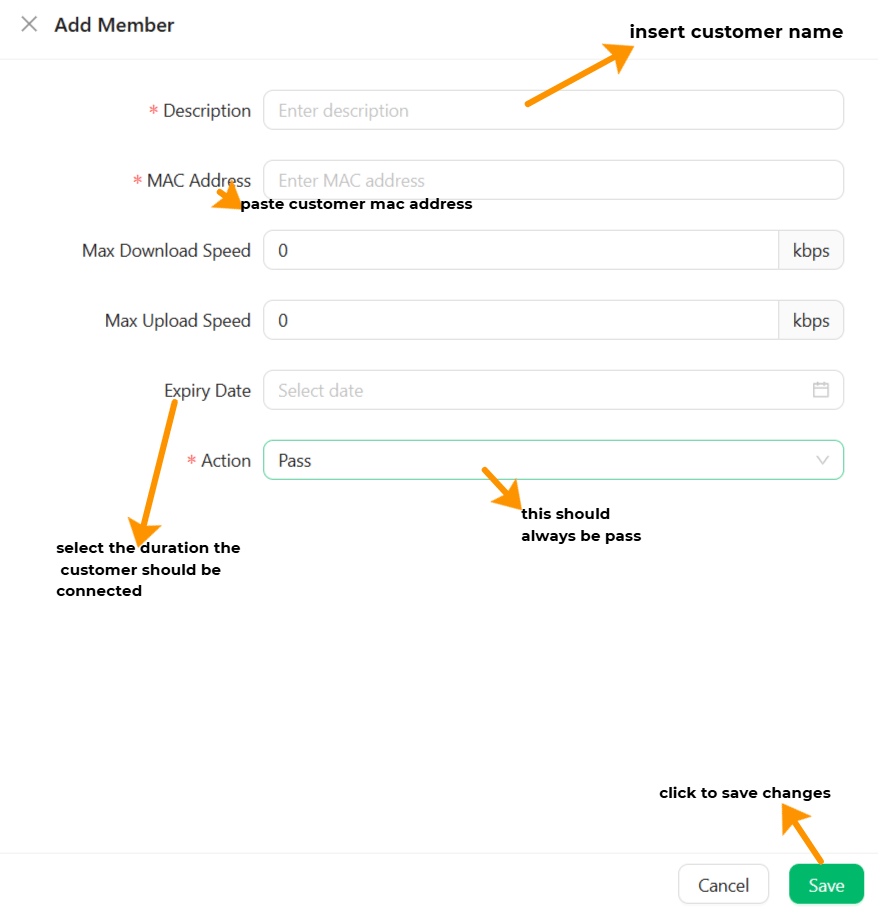 | Field | Description |
| ------------------ | ------------------------------------------------------------------------------- |
| **Description**\* | Define the customer's name or number |
| **MAC Address**\* | The MAC address to be given free access (usually pre-filled — don't touch this) |
| Max Download Speed | e.g. `5000` for 5 Mbps |
| Max Upload Speed | e.g. `10000` for 10 Mbps |
| Expiry Date | When the device should be automatically disconnected |
| **Action**\* | Select **Pass** — `Block` will prevent the device from getting internet |
Fields marked with an asterisk (\*) must be filled in.
Click **Save** to close.
Once these steps are complete, the customer can connect their device to the WiFi without being prompted to buy a package.
| Field | Description |
| ------------------ | ------------------------------------------------------------------------------- |
| **Description**\* | Define the customer's name or number |
| **MAC Address**\* | The MAC address to be given free access (usually pre-filled — don't touch this) |
| Max Download Speed | e.g. `5000` for 5 Mbps |
| Max Upload Speed | e.g. `10000` for 10 Mbps |
| Expiry Date | When the device should be automatically disconnected |
| **Action**\* | Select **Pass** — `Block` will prevent the device from getting internet |
Fields marked with an asterisk (\*) must be filled in.
Click **Save** to close.
Once these steps are complete, the customer can connect their device to the WiFi without being prompted to buy a package.