> ## Documentation Index
> Fetch the complete documentation index at: https://docs.softisp.ug/llms.txt
> Use this file to discover all available pages before exploring further.
# Customer Detail
> A full view of a single customer's account
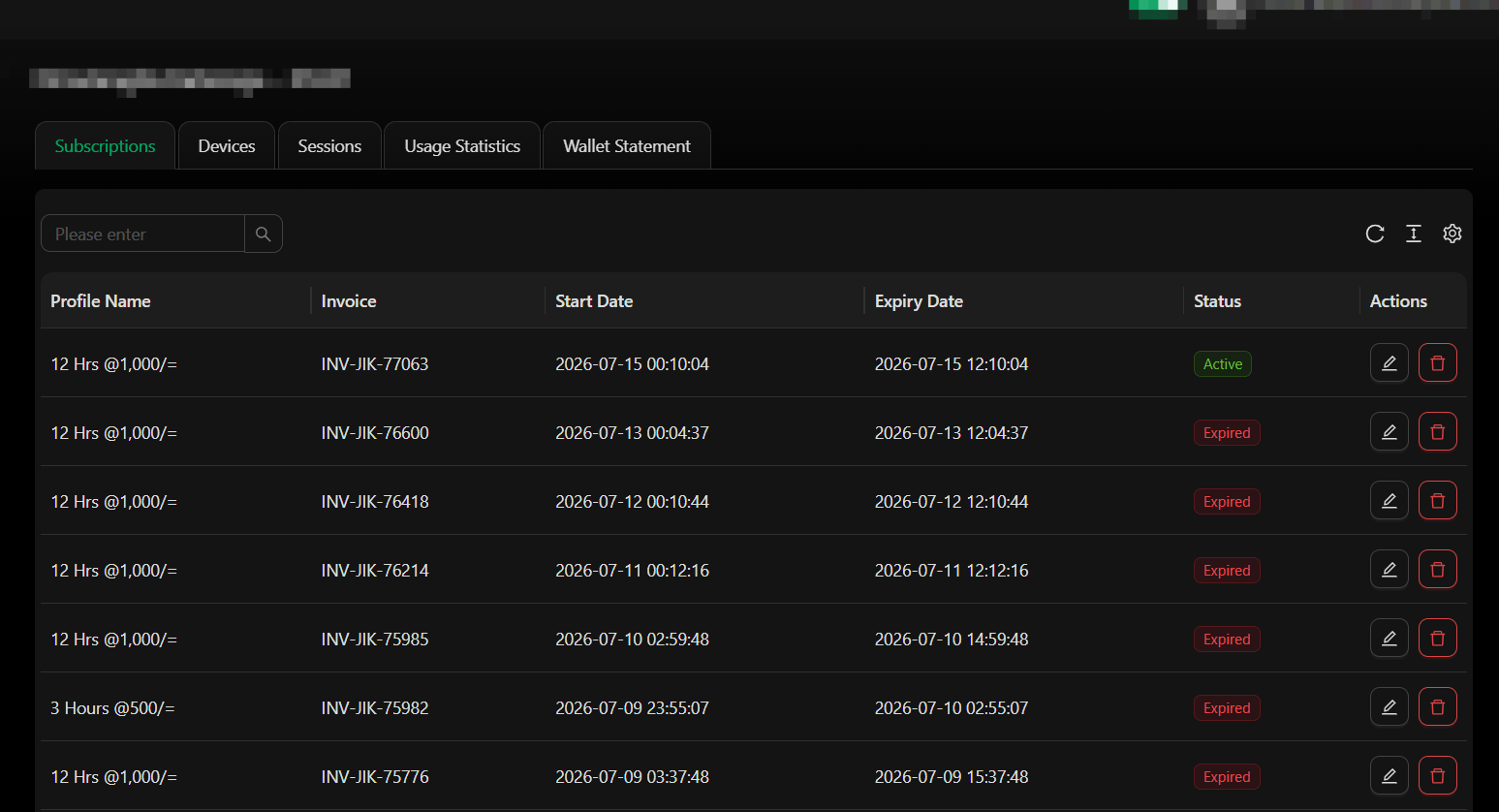 The customer detail page organizes everything about one customer into tabs.
| Tab | Description |
| ------------------ | ---------------------------------------------- |
| **Overview** | Personal info, status, assigned package, agent |
| **Subscriptions** | List of past and current subscriptions |
| **Invoices** | All invoices generated for this customer |
| **Payments** | Payment history |
| **Sessions** | Login/connection session log |
| **Access Control** | MAC address-based access rules |
## Available actions
* Edit customer profile
* Generate invoice
* Record manual payment
* Suspend or activate account
* Assign to a different agent or location
## Assigning Devices to Subscriptions
When a customer purchases a subscription, you can assign it to a specific device. This video shows how to select the device during the subscription setup process:
Each subscription can be linked to one or more devices depending on your package configuration. Make sure to select the correct device before finalizing the subscription.
The customer detail page organizes everything about one customer into tabs.
| Tab | Description |
| ------------------ | ---------------------------------------------- |
| **Overview** | Personal info, status, assigned package, agent |
| **Subscriptions** | List of past and current subscriptions |
| **Invoices** | All invoices generated for this customer |
| **Payments** | Payment history |
| **Sessions** | Login/connection session log |
| **Access Control** | MAC address-based access rules |
## Available actions
* Edit customer profile
* Generate invoice
* Record manual payment
* Suspend or activate account
* Assign to a different agent or location
## Assigning Devices to Subscriptions
When a customer purchases a subscription, you can assign it to a specific device. This video shows how to select the device during the subscription setup process:
Each subscription can be linked to one or more devices depending on your package configuration. Make sure to select the correct device before finalizing the subscription.