> ## Documentation Index
> Fetch the complete documentation index at: https://docs.softisp.ug/llms.txt
> Use this file to discover all available pages before exploring further.
# Customer List
> View, search, and manage all your customers
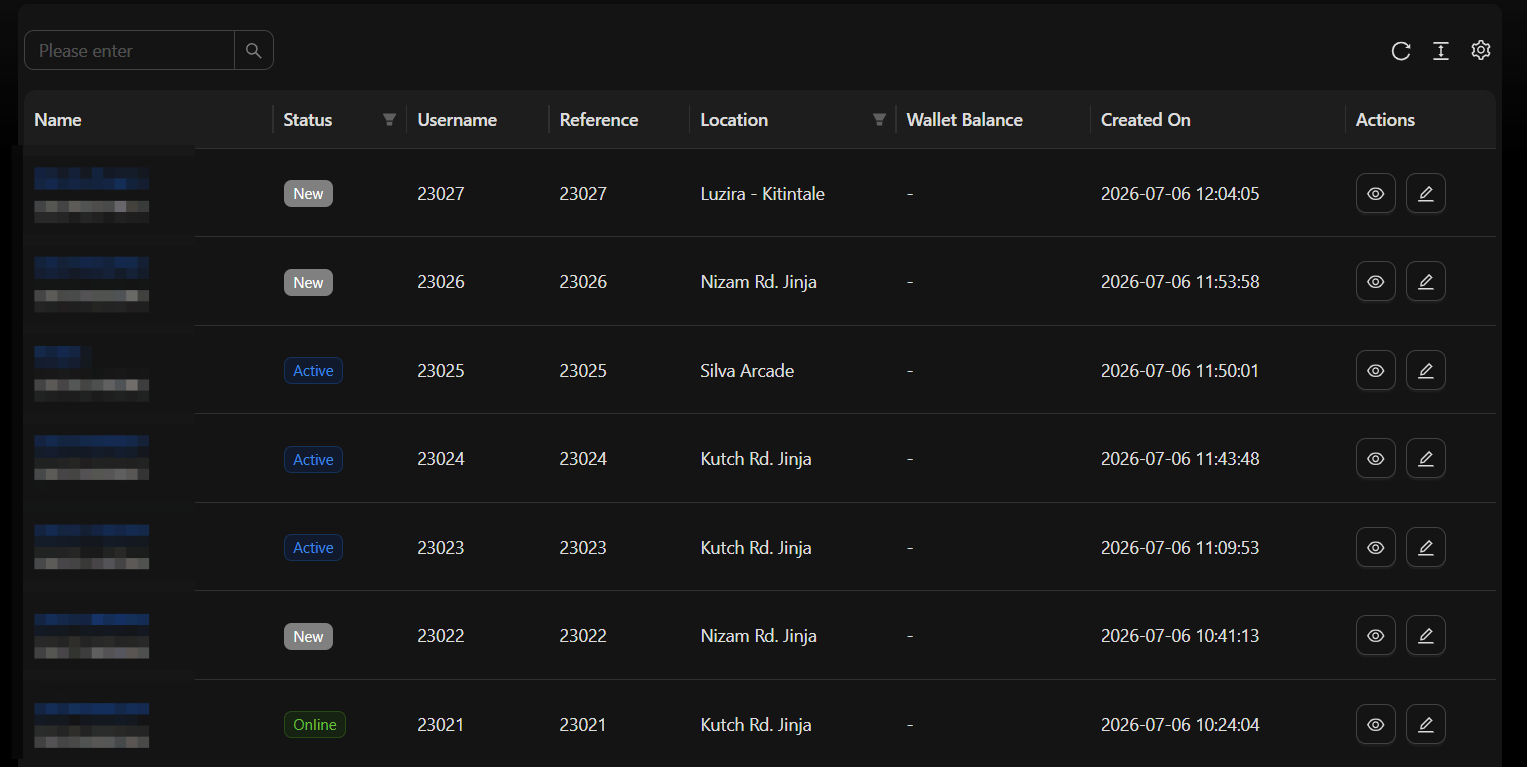 The Customer List displays all customers in a paginated, searchable table.
## Columns
* Name, Phone, Email
* Status (`NEW`, `ACTIVE`, `SUSPENDED`, `TERMINATED`)
* Assigned Package / Profile
* Location
* Agent
* Created Date
## Filtering
You can narrow the list down by:
* Search by name, phone, or email
* Filter by Status, Location, Agent, or Package
Click any column header to sort the list ascending or descending.
## Row actions
| Action | Description |
| ---------------------- | ----------------------------- |
| **View** | Open the customer detail page |
| **Edit** | Update customer information |
| **Suspend / Activate** | Toggle customer status |
| **Delete** | Remove the customer record |
## Bulk actions
Select multiple customers at once to apply status changes or delete them in bulk.
The Customer List displays all customers in a paginated, searchable table.
## Columns
* Name, Phone, Email
* Status (`NEW`, `ACTIVE`, `SUSPENDED`, `TERMINATED`)
* Assigned Package / Profile
* Location
* Agent
* Created Date
## Filtering
You can narrow the list down by:
* Search by name, phone, or email
* Filter by Status, Location, Agent, or Package
Click any column header to sort the list ascending or descending.
## Row actions
| Action | Description |
| ---------------------- | ----------------------------- |
| **View** | Open the customer detail page |
| **Edit** | Update customer information |
| **Suspend / Activate** | Toggle customer status |
| **Delete** | Remove the customer record |
## Bulk actions
Select multiple customers at once to apply status changes or delete them in bulk.