> ## Documentation Index
> Fetch the complete documentation index at: https://docs.softisp.ug/llms.txt
> Use this file to discover all available pages before exploring further.
# Invoices
> View and manage invoices generated from customer package purchases
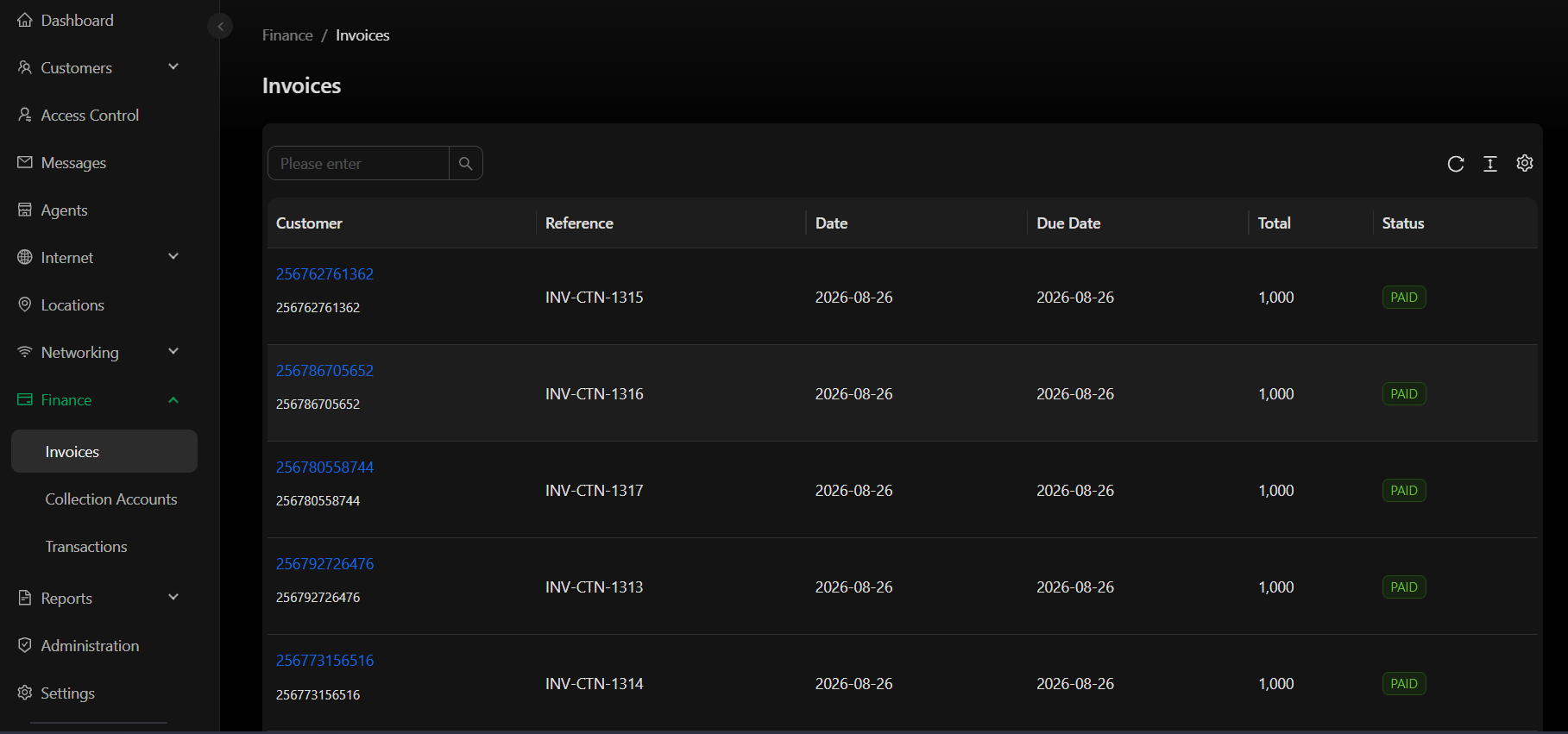 All invoices generated when customers purchase packages are listed here. Each invoice corresponds to a single package purchase transaction.
## Invoice columns
| Column | Description |
| --------- | ---------------------------------------------------------- |
| Customer | Customer ID purchasing the package |
| Reference | Unique invoice reference number (e.g., INV-CTN-1315) |
| Date | Invoice issue date |
| Due Date | Payment due date |
| Total | Invoice amount |
| Status | Payment status: Paid / Unpaid / Partially Paid / Cancelled |
## Invoice statuses
* **Paid** – Customer has paid the full invoice amount
* **Unpaid** – Invoice issued but payment not yet received
* **Partially Paid** – Partial payment received
* **Cancelled** – Invoice voided/cancelled
This section manages invoices generated from customer package purchases within your business. For your account's subscription or billing invoices from Zabbuli Systems, see [Billing](/billing).
All invoices generated when customers purchase packages are listed here. Each invoice corresponds to a single package purchase transaction.
## Invoice columns
| Column | Description |
| --------- | ---------------------------------------------------------- |
| Customer | Customer ID purchasing the package |
| Reference | Unique invoice reference number (e.g., INV-CTN-1315) |
| Date | Invoice issue date |
| Due Date | Payment due date |
| Total | Invoice amount |
| Status | Payment status: Paid / Unpaid / Partially Paid / Cancelled |
## Invoice statuses
* **Paid** – Customer has paid the full invoice amount
* **Unpaid** – Invoice issued but payment not yet received
* **Partially Paid** – Partial payment received
* **Cancelled** – Invoice voided/cancelled
This section manages invoices generated from customer package purchases within your business. For your account's subscription or billing invoices from Zabbuli Systems, see [Billing](/billing).