

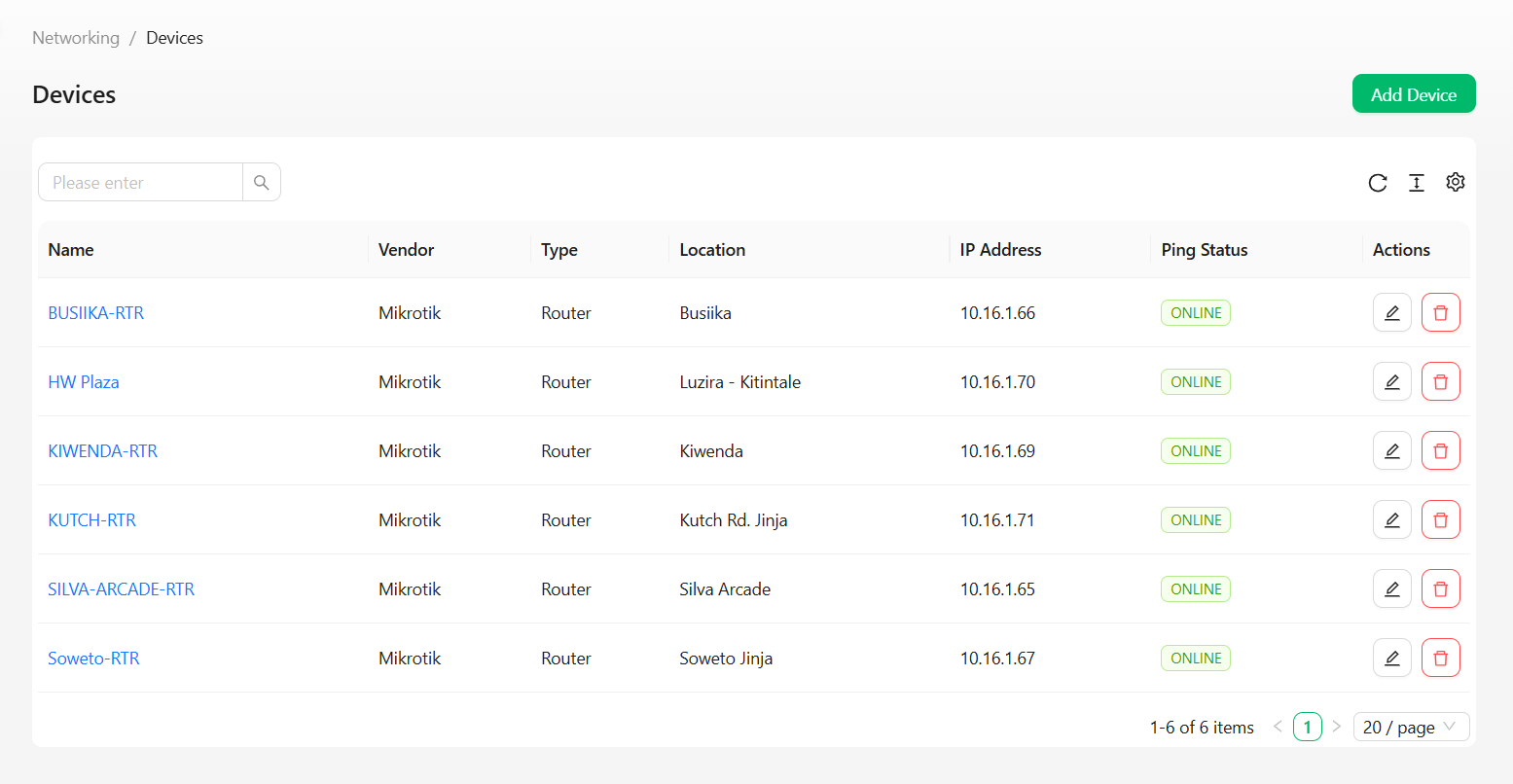
Columns
Use the search box to filter by device.
Row actions
Creating a device
1
Open Add Device
Click the Add Device button in the top right of the Devices page.
2
Fill out the form
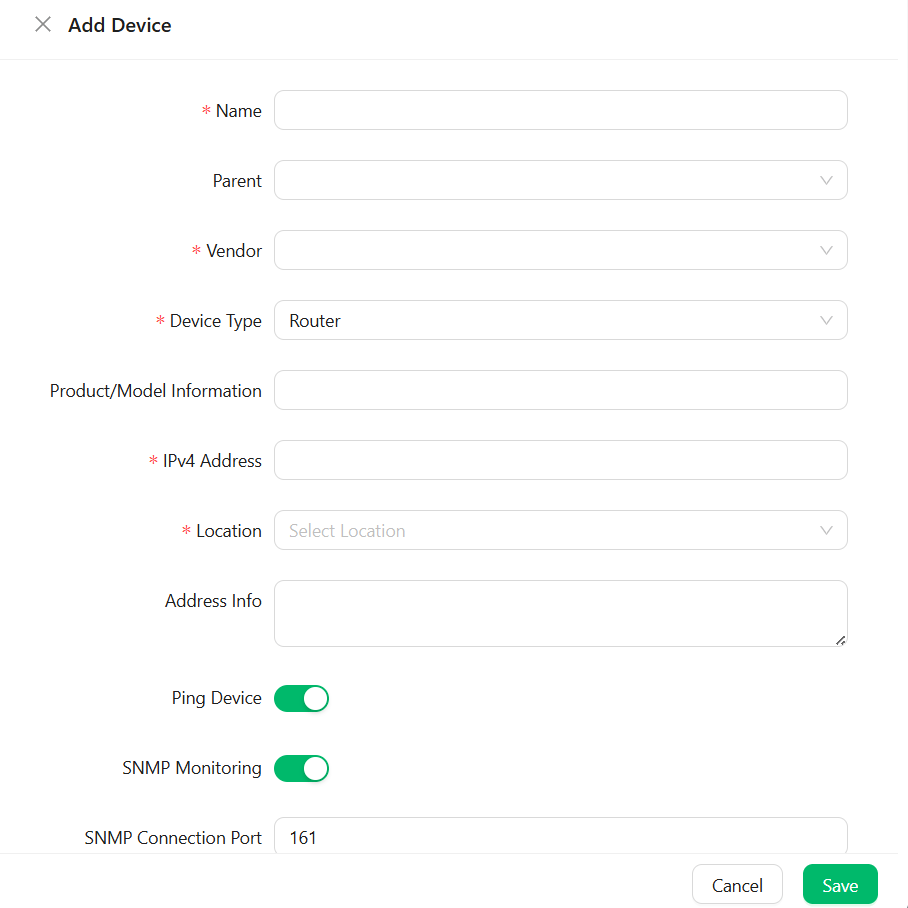
3
Save
Click Save to register the device.
Manage your MikroTik routers, switches and access points
Open Add Device
Fill out the form
Save