

Tabs Overview
Active Customers
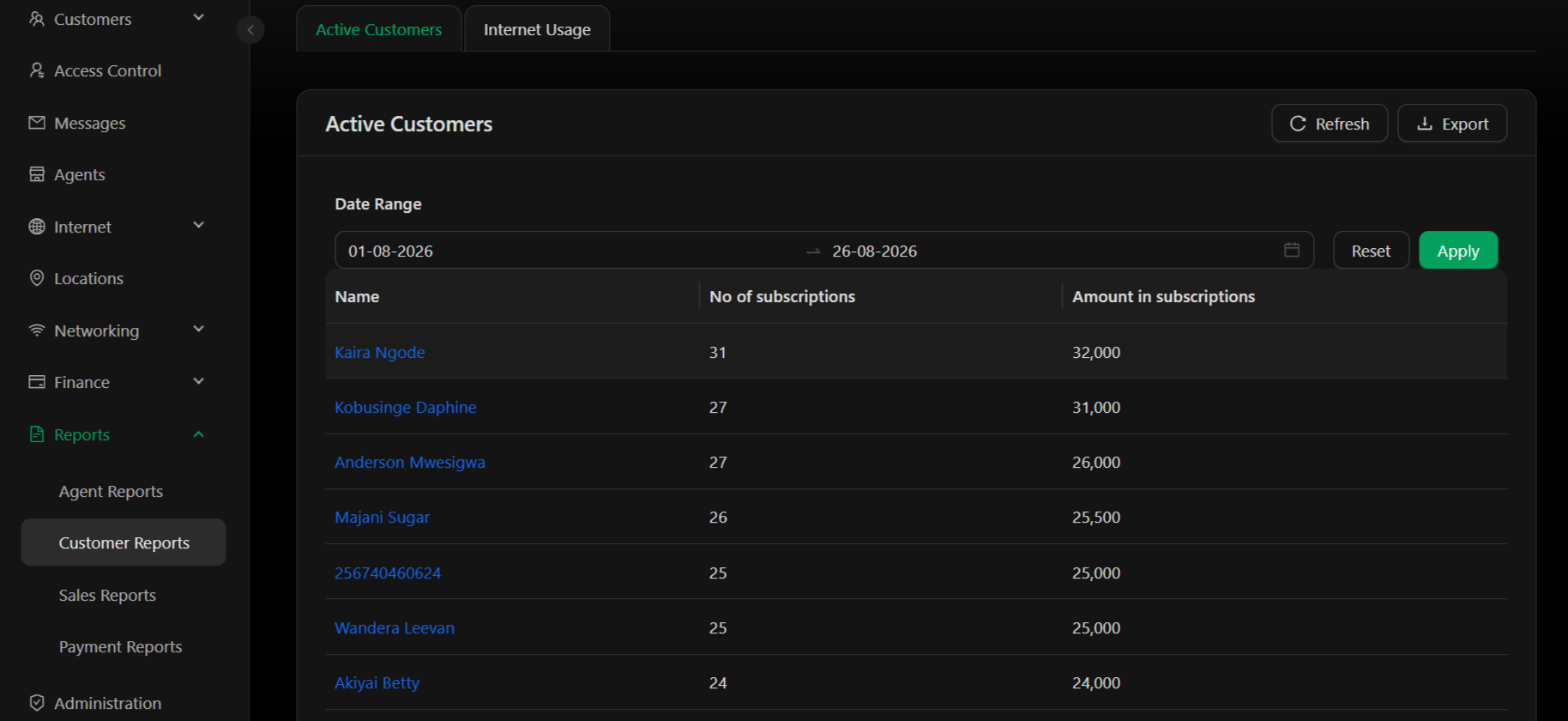
View all active customers and their subscription activity within a specified date range. Identify your most valuable customers by subscription count and total subscription value. Columns:
Example:
- Customer “Kaira Ngode” has 31 active subscriptions totaling 32,000 UGX
- Customer “Kobusinge Daphine” has 27 active subscriptions totaling 31,000 UGX
- Date Range – Select start and end dates to view subscriptions active during that period
- Refresh – Reload report data
- Export – Download the active customers list as Excel file for analysis or reconciliation
Internet Usage
Still under development. This tab will provide insights into customer internet usage patterns, helping you understand bandwidth consumption and plan for capacity accordingly.Key Metrics
No of subscriptions – The more subscriptions a customer has, the higher their commitment and lifetime value. Multi-subscription customers are more valuable. Amount in subscriptions – Total revenue value of a customer’s active subscriptions. Use this to identify high-value customers or target them for upselling.Use Cases
- Customer Segmentation – Identify top customers by subscription count or total value
- Churn Analysis – Track which customers are becoming inactive
- Usage Planning – Understand internet usage patterns to plan capacity
- Billing Verification – Reconcile subscription counts against invoices
- Performance Analytics – Analyze customer adoption rates and growth trends
The Active Customers tab shows subscription-based metrics. For payment history and collection status, see Payment Reports. For detailed customer information, see Customers.